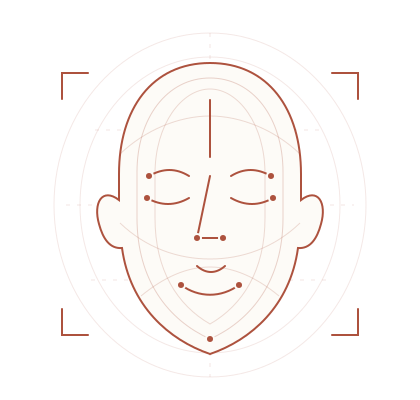
Purchase and download our facial-scanning app to scan your face and help find a CPAP mask that suits you. Your care team can help you understand your options and assess fit and comfort.
Our paid facial-scanning app is available. Call the clinic for help purchasing and downloading the app.
Technology meets personal care
Your face.
Your fit
Another perspective on mask fitting — with people at the heart of your care.
Understanding facial imaging
More information.
A more informed conversation
3D facial imaging looks at facial shape to help guide mask selection. It is one part of finding a mask that works for you.
A view of your facial shape
Facial measurements can offer useful context when considering different mask shapes and sizes.
A starting point for selection
Imaging may help narrow the mask options to discuss with your CPAP care team.
Care beyond the scan
Comfort, seal, therapy needs and your preferences still matter. A scan does not guarantee a suitable fit.
Facial scanning supports mask fitting. It does not diagnose sleep apnea or replace clinical advice.
What comes next
Purchase. Download. Scan.
Our paid facial-scanning app lets you scan your face to help guide CPAP mask selection. Contact our team for pricing and purchase and download instructions.
01
Purchase and download the app
Contact our team for pricing, device requirements and purchase instructions, then download the app.
02
Scan your face
Follow the app's instructions to complete your facial scan. Review its privacy information and consent requests before scanning.
03
Discuss your mask options
Talk with your care team about how facial imaging may inform mask selection and what further fitting support you need.
Take the next step
Get the facial-scanning app.
Purchase and download our facial-scanning app to scan your face and help explore CPAP mask options. Contact our team for pricing and download instructions.
Our paid facial-scanning app is available. Call the clinic for help purchasing and downloading the app.
This page does not access your camera or collect, upload or store facial images or biometric data. Any scanning or registration takes place separately through the clinic or its chosen provider.
A few helpful answers
Questions about facial scanning?
What Is 3D Facial Scanning Used For?
Facial imaging captures information about facial shape that may help guide CPAP mask selection. Your care team considers it alongside your therapy needs, comfort and preferences.
Will A Scan Guarantee The Right Mask?
No. A scan can inform mask selection, but fit and comfort still need to be assessed. Talk with your care team about the seal, how the mask feels and any concerns.
Where And How Does Scanning Happen?
You purchase and download the facial-scanning app, then follow its instructions to scan your face. Contact the clinic for pricing, device requirements and help getting started.
Does This Website Take My Photo Or Scan My Face?
No. This page is for information and access to the next step. It does not use your camera or accept facial images. An external registration link, when available, takes you to a separate service with its own information and consent process.
What If I Prefer Not To Use Facial Scanning?
Call the clinic to discuss your preferences and ask about other mask-fitting options. Facial scanning is not a replacement for advice from your care team.